$$ MONEY $$ For anyone who can make me a skin...

Hey guys

Im willing to pay for someone to make me a skin...i can find one anywhere and im angry haha

I use VISTA (not XP...VISTA!!! i keep getting xp skins)....so yea, thats VISTA!!

I want someone to skin VISTA and make it look like OS X!

I used to have an osx skin when i was running XP but thats no good now is it...

Im serious about paying too...i'll even pay you if u direct me to an existing OSx skin for vista...

Please help...

[email protected]

Thank you

PEACE!
10,058 views 21 replies
Reply #1 Top
http://www.deviantart.com/deviation/58020323/?qo=3&q=OS+X+theme+vista&qh=boost%3Apopular+age_sigma%3A24h+age_scale%3A5
I'm not sure if that is for Vista, I cant try it, I dont have Vista
Hope that helps
Reply #2 Top
Let's see....$60/hr for design services and a minimum of 40 hours to get a basic Windowblind together.......OK, I could probably get going for $2,400.00 up front
Reply #3 Top
I want someone to skin VISTA and make it look like OS X!

OK, I could probably get going for $2,400.00 up front

May be cheaper to buy a Mac
Reply #4 Top
How much is a fully Vistafied OSX clone worth to you is the question?
Reply #5 Top

Let's see....$60/hr for design services and a minimum of 40 hours to get a basic Windowblind together.......OK, I could probably get going for $2,400.00 up front

The cold hard light of day tends to put a dampener on it all....but that's probably not too far off 'the money'.

Genuine commercial enterprises [commissions] can put a sizeable hole in your bank manager's 'bon homme' ['scuse the French....probably wobbly]...

Reply #7 Top


Looks good on Vista for me.

 
Reply #8 Top
That has to be the ugliest Vista shot I've ever seen. YOU NEED SHADOWS.
Reply #9 Top
That has to be the ugliest Vista shot I've ever seen. YOU NEED SHADOWS.


Hmmm.....maybe you haven't looked hard enough.  


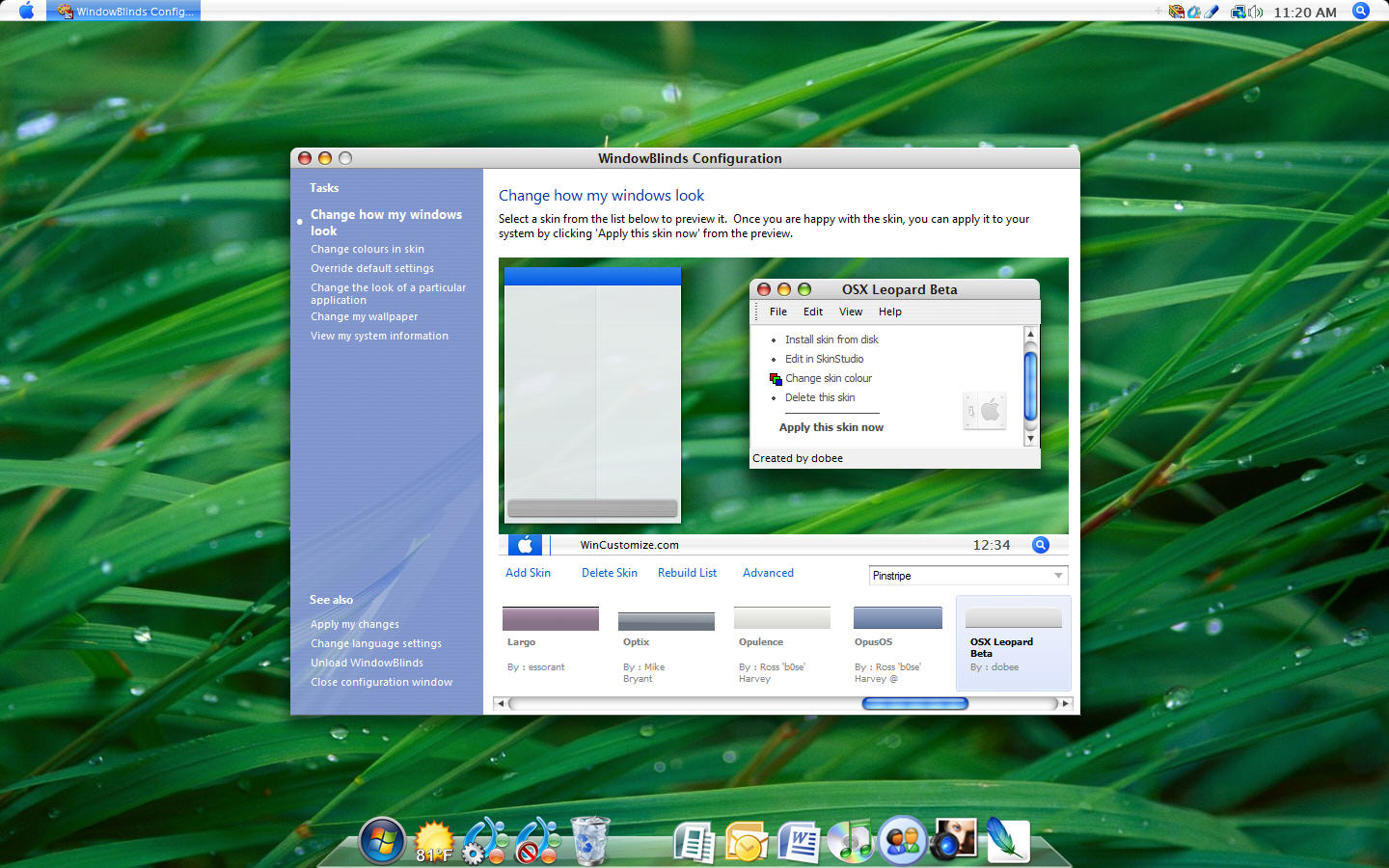
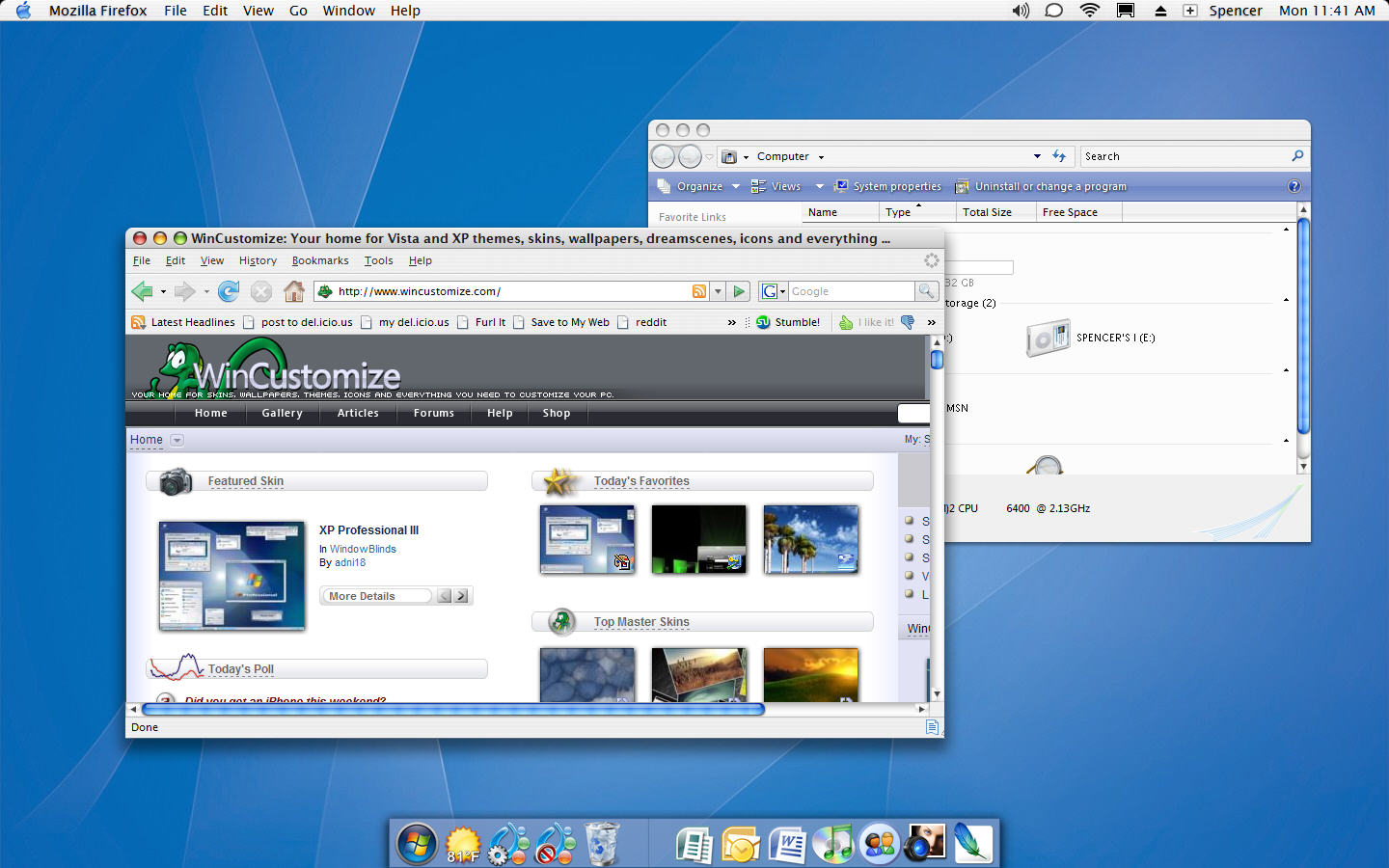
Anyways, here is a couple of shots I just put together as that one is quite outdated as was pointed out.  The first shot is just WindowBlinds on Vista with a "Leopard" skin and ObjectDock at the bottom.  The second shot is using a Mac Objectbar theme as well.


Reply #10 Top
oh ok, that looks mad as...

i guess my problem has been windowsblinds from the start ay...what it does is whenever i select ANY custom skin, it reverts the appearance back to the windowss classic look...how am i able to get it to APPLY the skins PROPERLY??

I am using Windowsblinds 5.5 enhanced
Reply #11 Top
Well, as much as I understand how hard money is to come by these days a hundred dollars might buy you a start menu and taskbar from any competent professional artist.

What you may try is finding the closest to what you want in a Mac theme and asking someone to alter it \ vistafy it for you.

Making a quality wb in most cases is weeks of work, Perhaps you could pick up a copy of Skinstudio, take your time and adjust the areas u want modified..bit by bit at your own leisure.

Reply #12 Top
I am using Windowsblinds 5.5 enhanced


Is this the purchased version?  If so you should first make sure you have the latest update by using Stardock Central.  It would also help to post your WB system information from the configuration screen.


Reply #13 Top
@ Island Dog: Bah, they didnt show any shadows on your first shot. Besides I only see the normal variant there, wheres finder?
Reply #14 Top
FinalCause -

Open the WindowBlinds Configuration screen and click on View my system information.  Copy/paste that info here.
Reply #15 Top
Your computer has a Windows Experience Index base score of 3.3

Your Windows Graphics Experience score is 3.7

WindowBlinds version : WindowBlinds 5 (5.50 (build 100 x86 - Vista Edition))

WindowBlinds is installed correctly on this PC

WindowBlinds appears to be activated on this PC

(Generic PnP Monitor) 1 is attached to NVIDIA GeForce Go 7400

Wblind.dll 2007/02/21 17:07:20
Wbsrv.dll 2007/02/21 17:08:05
Wbconfig.exe 2007/02/21 16:06:33
Wbload.exe 2006/09/30 14:59:14
Wbhelp.dll 2004/09/18 16:37:07
Tray.dll 2006/04/28 19:27:49
Wbload.dll 2007/01/23 19:48:56
Reply #16 Top
Id do it for free, just cause i love skinning so much, but cause i dont even have vista on my pc ..gues im OUT.....blah
Reply #17 Top
FinalCause -

Where did you obtain this copy of WindowBlinds? You should have better results if you remove this copy, reboot and install either the 'trial' version or purchase the full version at - https://www.stardock.com/products/windowblinds/
Reply #18 Top
remove this copy, reboot and install either the 'trial' version or purchase the full version


You neglected to mention running a virus scan, malware & spyware scans, trojan scans......etc.

You didn't REALLY think it was free with no strings (or bugs) attached did you?

Reply #20 Top
I've been looking for a decent OSX skin for WB 5.5 (Vista) with no luck...

I'm using one of those XP skins which Ermmm... well they aren't too bad...

Hope someone releases an OSX skin for Vista soon...

By the way Windows Blinds 5.5 is a little buggy under Vista... Every time after rebooting my PC it shuts down (DWM) so I have to unload Windows Blinds, Enable Aero again and reload Windows Blinds... Kind of a little frustrating but I have already paid for my copy... Hope to get WB6.0 update when it comes out...

Reply #21 Top
One problem! I hate Mac to begin with ... Plus my time is very tight with things I have to do here and at work.
But I would suggest that you upgrade to the newest WB release and install Skin Studio to do your own work. But using Skin studio with Vista is not for any beginner at all. Just getting the program to work or run correctly with Vista will take some tweaks.
If you will give me a link to a skin you want to work with Vista. I'll take a look at it and see if it will work. That and work out the changes for Vista compatiblity.
I do not charge anyone for my work. I get paid very well at the position I have already.
So if I can find sometime and the skin is compatibile. I'll see what can be done so it will be what you want in a Vista WB skin.
Contact me at my email address
WWW Link

SGT